Online Booking System Development That Converts
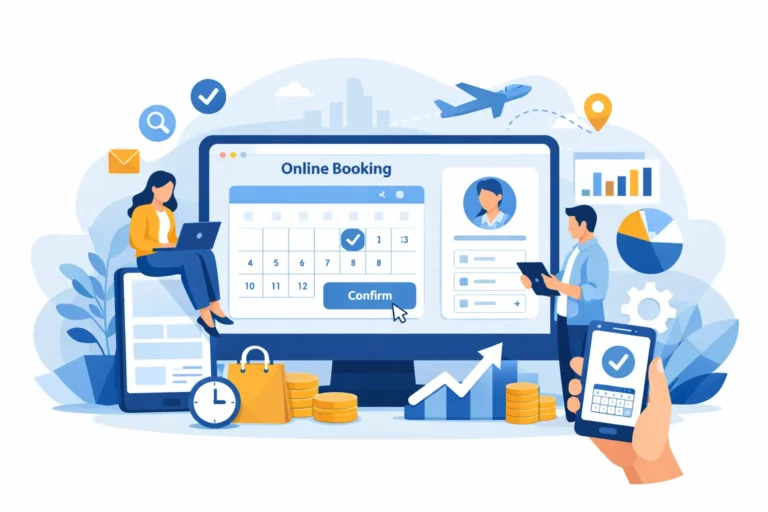
A booking experience can be the point where interest becomes revenue – or where a ready-to-buy customer leaves. Effective online booking system development is not simply about adding a calendar to a website. It is about creating a dependable path from availability to confirmation while giving your team the operational visibility to deliver the service promised.
For a local service business, that might mean matching appointments to the right staff member, location, and duration. For a travel operator, it may mean managing capacity, waivers, add-ons, and time-sensitive inventory. For a growing B2B company, it could mean qualifying leads before a consultation is placed on the calendar. The right approach depends on how your business actually operates.
Start With the Booking Journey, Not the Software
The fastest way to create a frustrating booking tool is to select software before defining the customer and staff journey. A feature-rich platform can still create double bookings, manual workarounds, and abandoned checkouts if it does not reflect your real availability rules.
Start by mapping what happens before, during, and after a booking. Consider who is booking, what they need to choose, what information your team needs to fulfill the request, and what should happen when a booking changes or is canceled. This is where requirements become commercially useful rather than a generic feature list.
A well-planned flow typically answers a few essential questions: Is the customer choosing a service, a provider, a location, or all three? Are availability rules fixed or dependent on resources such as rooms, equipment, or seats? Is payment required upfront, partially collected, or handled after confirmation? And does a booking need instant approval, or should it enter a review process?
Small details shape conversion. If a first-time visitor needs to compare service options, show clear descriptions, durations, prices, and preparation details before asking them to select a time. If repeat customers mainly want speed, reduce the process to the fewest necessary steps and remember their preferences where appropriate.
What a High-Performing Booking System Must Handle
A polished calendar is only the visible layer. Behind it, the booking system needs business logic that remains accurate when multiple people book at once, staff schedules change, or payments fail.
The foundation includes real-time availability, conflict prevention, time zone handling, mobile-friendly scheduling, automated confirmations, and clear cancellation rules. It should also give internal teams an intuitive dashboard for managing appointments, capacity, customer records, and exceptions. When staff cannot confidently use the system, customers eventually feel the impact.
For many businesses, the most valuable capabilities are the ones that remove repetitive administrative work. Automated reminders can reduce no-shows. Intake forms can collect the details needed before a session. Calendar syncing can keep individual schedules current. Payment processing can reduce payment chasing and protect revenue from last-minute cancellations.
Four areas deserve particular attention during planning:
- Availability logic: Account for buffers between appointments, blackout dates, minimum notice periods, capacity limits, and different schedules by employee or location.
- Customer communications: Send confirmation, reminder, rescheduling, and follow-up messages that are timely, branded, and easy to understand.
- Payments and policies: Support deposits, full payments, taxes, refunds, promo codes, and cancellation terms in a way that is clear before checkout.
- Reporting and ownership: Give the right teams access to booking volume, no-show rates, revenue, utilization, and customer data without exposing information they do not need.
These features should be prioritized based on operational impact. A startup offering discovery calls may not need complex resource allocation on day one. A multi-location wellness business or equipment rental company likely does.
Choose Between a Platform Integration and Custom Development
There is no universal best technology for booking. The decision should be based on your workflows, growth plans, budget, and tolerance for manual work.
An established booking platform can be a smart choice when its standard model matches your service. It can shorten launch time and provide tested functionality for scheduling, payments, notifications, and staff management. It is often the right answer for businesses that need proven tools quickly and can work within the platform’s operating rules.
The trade-off is control. A third-party tool may limit the booking experience, charge transaction or subscription fees, restrict design flexibility, or make complex integrations harder over time. Your team may also need to adjust internal processes to fit the tool rather than the other way around.
Custom online booking system development makes sense when scheduling is central to your business model or when your rules are unusually specific. Examples include membership-based access, multi-part appointments, dynamic pricing, service bundles, complex capacity management, custom approvals, or integrations with internal systems. A tailored system can create a more cohesive customer experience and support the workflows that set your company apart.
Custom work requires disciplined discovery, testing, and long-term support. It is not automatically the better choice just because it offers flexibility. The most effective solution is one that meets current needs without creating unnecessary complexity.
Integrations Are Part of the Product
A booking system rarely operates alone. It often needs to exchange information with calendars, payment gateways, CRM platforms, email marketing tools, accounting software, membership systems, analytics, and internal dashboards.
Each integration should have a defined purpose and a clear owner. For example, if a booking is created, which system becomes the source of truth? If a customer reschedules from an email link, how quickly should the change reach staff calendars? If a payment is refunded, should the booking status update automatically?
These questions prevent a common failure point: fragmented data. When customer information lives in disconnected systems, teams spend time reconciling records, customers receive conflicting messages, and reporting becomes unreliable. A thoughtful integration plan makes operations more efficient while creating a more consistent experience for the customer.
Security and reliability also belong in this conversation. Customer data, payment details, and appointment history must be protected with appropriate access controls and trusted payment handling. The system should be monitored, backed up, and tested for edge cases such as duplicate clicks, interrupted payments, schedule changes, and peak traffic periods.
Design the Interface for Decisions, Not Just Appearance
Booking pages should make choices feel easy. That means using clear service names, visible pricing, honest availability, and helpful guidance at the moment a customer needs it. It also means removing distractions that pull visitors away from completing the action.
Mobile performance is especially important. Many bookings happen between meetings, after business hours, or from a phone. Slow-loading forms, tiny calendar controls, and unnecessary account creation can cost real revenue. The experience should be responsive, accessible, and easy to complete with one hand.
Trust signals matter as well. Explain what happens after a booking, show cancellation terms before payment, and make contact options available when a customer has a question. Confirmation pages and emails should reinforce that the request was received and tell the customer what to expect next.
At ZOMPIT, booking experiences are approached as part of the larger digital journey – connecting brand presentation, conversion-focused design, custom development, and ongoing optimization rather than treating scheduling as an isolated add-on.
Launch With Measurement Built In
A booking system should improve after launch. Track where visitors begin the process, where they abandon it, which services are selected most often, how far in advance customers book, and how cancellations vary by channel or appointment type.
These insights can reveal practical improvements. If users repeatedly stop at a long intake form, ask only for essential information upfront. If popular time slots disappear too quickly, review capacity, staffing, or waitlist options. If no-shows increase, test reminder timing and deposit policies.
The goal is not to add every possible feature. It is to create a booking experience that is clear for customers, manageable for staff, and adaptable as demand grows. When the system reflects the way your business serves people, it becomes more than a calendar – it becomes a reliable part of your revenue operation.