What Causes Website Downtime? 9 Common Reasons
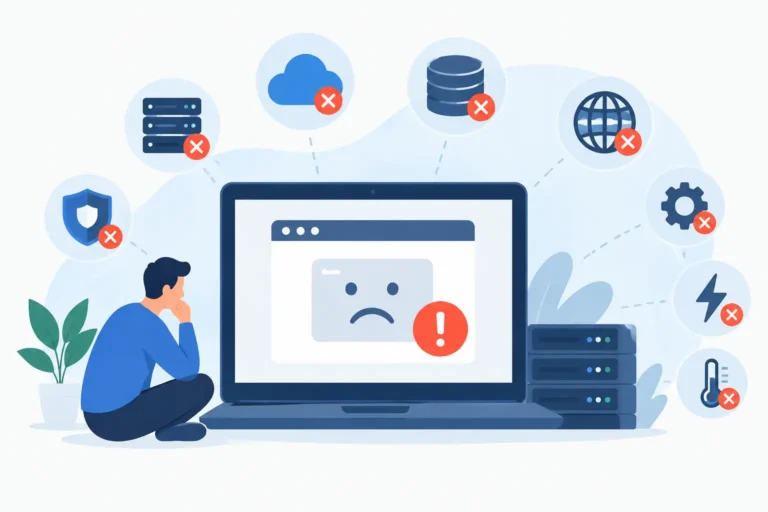
A website can look polished, rank well, and generate leads one minute, then become unreachable when a prospective customer is ready to act. For businesses that depend on online credibility, inquiries, bookings, or ecommerce sales, understanding what causes website downtime is not just an IT exercise. It is part of protecting revenue, customer trust, and marketing investment.
Downtime occurs when visitors cannot access your website or cannot use a critical function such as checkout, a contact form, or a customer portal. The cause may be outside your team’s control, but many outages become longer and more expensive because warning signs, recovery plans, and routine maintenance were overlooked.
What Causes Website Downtime Most Often?
Website downtime rarely comes from one dramatic event. More often, it results from a weak point in the chain that connects your domain, hosting environment, code, third-party services, and content management tools. The following causes account for most incidents businesses encounter.
1. Hosting and server failures
Your hosting provider supplies the infrastructure that makes the site available to visitors. If its servers experience hardware failures, network issues, overloaded resources, or a data center outage, your website may become slow or inaccessible.
Shared hosting plans can be a cost-effective fit for a low-traffic brochure site, but they may create more exposure when neighboring sites consume excessive resources. A growing ecommerce business, high-traffic campaign site, or application with logged-in users generally needs infrastructure that can handle demand predictably.
The goal is not automatically to buy the most expensive plan. It is to match hosting capacity, support quality, backup options, and scaling capabilities to the way your business operates.
2. Traffic spikes that exceed capacity
High traffic is usually good news. It means a campaign, product launch, media mention, or seasonal promotion is working. But a sudden surge can overwhelm a server, database, or ecommerce platform that was sized for normal activity.
This is especially common when a landing page is promoted through paid advertising or an email campaign reaches a large audience at once. Visitors may see error messages, timeouts, or pages that load too slowly to be useful. In practical terms, that means paid traffic is arriving while conversion opportunities disappear.
Capacity planning, caching, content delivery tools, and load testing reduce this risk. For larger launches, it is wise to test expected traffic levels before promotion begins, not after performance starts to deteriorate.
3. Software updates and plugin conflicts
CMS platforms such as WordPress make it easier to manage content, add features, and evolve a site over time. That flexibility also introduces dependencies. A core update, theme update, plugin update, or PHP version change can conflict with existing code.
A simple update can trigger a white screen, broken layout, checkout failure, or administrative access issue. This does not mean updates should be avoided. Unpatched software creates security and performance risks of its own. The better approach is disciplined change management: back up the site, test updates in a staging environment, and deploy them with a clear rollback plan.
The more plugins and custom integrations a site has, the more important this process becomes. Every additional tool should have a clear business purpose and be maintained by a reliable provider.
4. Coding errors and failed deployments
Custom functionality can create meaningful competitive advantages, from product configurators and booking workflows to account portals and API integrations. It can also cause downtime when a code change is pushed live without adequate testing.
A missing configuration value, database migration error, syntax issue, or incompatible dependency can bring down key pages immediately. Even a small front-end change can affect conversion if a script blocks the page from rendering or prevents a form from submitting.
A professional deployment workflow separates development, testing, and production environments. It also uses version control, code review, and monitoring so teams can identify a failed release quickly and restore a stable version when needed. Fast recovery matters, but preventing an untested change from reaching customers matters more.
5. Domain and DNS problems
Your domain and DNS settings tell browsers where to find your website. If a domain expires, nameservers are changed incorrectly, or DNS records are misconfigured during a migration, the site may be unavailable even when the hosting server is functioning normally.
These problems often feel confusing because they can appear inconsistent across locations while DNS updates propagate. Email delivery may also be affected if mail records are altered accidentally.
Keeping domain registration current, enabling renewal reminders, limiting account access, and documenting DNS records are straightforward safeguards. During a platform migration or hosting change, DNS should be treated as a planned technical step, not an afterthought at launch.
6. Cyberattacks and malicious activity
Cyberattacks can take a website offline directly or make it unsafe to keep online. Distributed denial-of-service attacks flood a server with traffic. Malware can corrupt files, redirect visitors, or consume system resources. Attackers may also exploit outdated plugins, weak passwords, or vulnerable integrations to gain access.
The business impact extends beyond temporary unavailability. A compromised site can damage search visibility, expose customer data, interrupt operations, and reduce confidence in your brand. Recovery may require security cleanup, forensic review, restored backups, and communication with affected users.
Strong access controls, multifactor authentication, timely security patches, web application protections, malware monitoring, and verified backups all reduce exposure. No site can eliminate risk entirely, but a layered security approach makes an incident less likely and easier to contain.
7. Third-party service outages
Modern websites often rely on outside services for payments, maps, scheduling, analytics, live chat, email, search, video, and customer relationship management. If one of those providers has an outage, a website may remain online while an essential customer function stops working.
For example, an ecommerce site can technically load while customers cannot complete payment. A lead generation site can appear normal while form submissions fail to reach the sales team. These are still downtime events from a business perspective.
Before adding a third-party service, consider what happens if it becomes unavailable. Some features need a fallback path, while others simply need clear monitoring so the team can respond quickly. The right choice depends on the cost of interruption and the value the integration delivers.
8. Database issues and storage limits
Many websites depend on databases to display content, process orders, manage user accounts, and store form submissions. A corrupted database, exhausted storage allocation, slow query, or failed connection can make the site partially or fully unavailable.
This risk often grows quietly. Product catalogs expand, image libraries accumulate, form spam fills tables, and old revisions consume storage. Without maintenance, the database and server can become slower until an ordinary traffic increase or update exposes the problem.
Regular database optimization, storage monitoring, image management, and tested backups keep the foundation healthier. For database-heavy websites and custom applications, performance monitoring should be ongoing rather than limited to a launch checklist.
9. Human error and unclear ownership
An employee may delete a file, change a setting, deactivate a critical plugin, or remove a DNS record while trying to solve another problem. These mistakes are common because websites involve many interconnected systems, often managed by different internal teams and vendors.
Clear ownership prevents small errors from becoming prolonged outages. Your business should know who can access hosting, domain, CMS, payment tools, and backups, as well as who is responsible for responding when a problem occurs. Access should be limited to the people who need it and reviewed when roles change.
Reducing Downtime Requires More Than Monitoring
Monitoring tools are valuable because they alert a team when a site stops responding. But an alert alone does not restore revenue, preserve form submissions, or explain why the incident occurred. A dependable website operation combines monitoring with preparation.
That means maintaining tested backups, documenting key credentials and infrastructure details, reviewing updates on a defined schedule, and testing major changes before they reach production. It also means measuring performance before a high-stakes campaign or seasonal sales period exposes a limitation.
For organizations with multiple stakeholders, an incident response plan is worth the effort. It should identify who investigates the outage, who communicates with customers or leadership, how a stable version is restored, and how the underlying cause is documented afterward. The plan can be simple, but it must be current and accessible when pressure is high.
A Reliable Website Is an Ongoing Business Asset
The answer to what causes website downtime is usually a combination of infrastructure, software, security, and process. A well-designed website is a strong start, but reliability depends on what happens after launch: how the site is hosted, updated, secured, monitored, and prepared for growth.
ZOMPIT approaches ongoing website care as part of long-term digital performance, helping businesses keep their platforms fast, secure, and ready for the next stage of demand. The most useful next step is to review your current setup before an outage forces the conversation, then prioritize the safeguards that protect the customer experiences your business relies on.