Custom CMS Versus WordPress: Which Is Right?
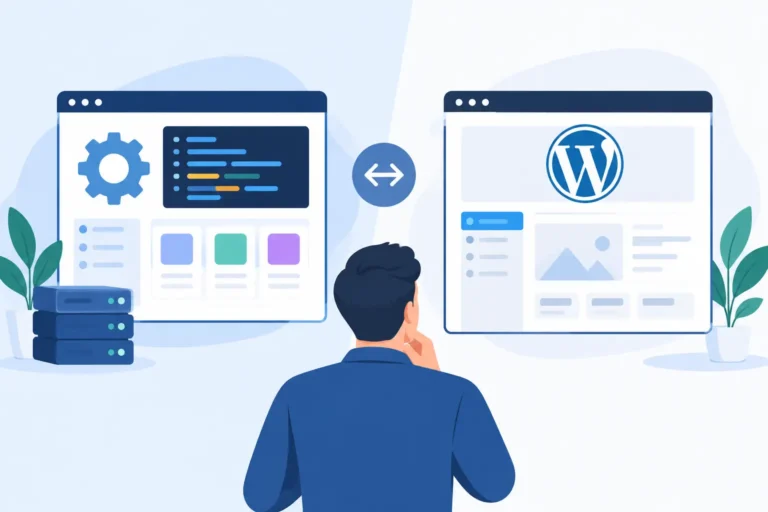
A website platform decision can shape far more than your launch date. It affects how quickly your marketing team can publish campaigns, how easily operations can manage content, what integrations are possible, and how much it costs to evolve the site two years from now. When comparing a custom CMS versus WordPress, the better choice is rarely the one with the longest feature list. It is the one that supports the way your business actually works.
For many businesses, WordPress offers a fast, proven path to a polished, editable website. For others, a custom content management system creates the control needed for specialized workflows, complex data, or proprietary customer experiences. The decision should start with business requirements, not a preference for a particular technology.
Custom CMS Versus WordPress: The Core Difference
WordPress is an established, widely used content management system with a mature administrative interface, an extensive ecosystem of plugins, and a large pool of development talent. It began as a publishing platform and has grown into a flexible foundation for company websites, ecommerce experiences, membership portals, resource centers, and more.
A custom CMS is built specifically around your organization’s content model, user roles, workflows, integrations, and reporting needs. Rather than adapting your operations to an existing platform, the platform is designed around the work your team needs to do. It may use a custom backend, a headless architecture, or a web application framework tailored to the project.
Neither option is automatically more professional, secure, or scalable. The quality of planning, design, development, hosting, testing, and maintenance matters in both cases. A poorly maintained custom platform can become difficult to support. A carefully engineered WordPress site can support high-performing, enterprise-level digital operations.
When WordPress Is the Smarter Business Choice
WordPress is often the right fit when your website is primarily a marketing, publishing, lead generation, or content-driven platform. It gives business teams a familiar way to update pages, add blog posts, manage media, publish landing pages, and maintain basic SEO fields without relying on a developer for every change.
For a startup or growing company, that operational independence can be valuable. A marketing director should be able to launch a new service page or update a case study without turning a small content change into a development ticket. With custom WordPress development, the editing experience can also be simplified and structured around the content your team manages most often.
WordPress can be a strong fit for businesses that need a professional site on a defined timeline and budget. Instead of building every core publishing feature from scratch, development can focus on the parts that differentiate your brand: the visual system, conversion paths, content architecture, integrations, and performance strategy.
The platform also works well when your requirements are clear but not unusual. A services company with team profiles, location pages, lead forms, resources, and campaign landing pages does not necessarily need a proprietary CMS. The same is often true for many ecommerce stores, especially when the store relies on standard product, category, checkout, promotion, and fulfillment workflows.
That does not mean installing a theme, adding a collection of plugins, and calling the work complete. Plugin-heavy WordPress builds can create speed, security, and maintenance problems when tools overlap or are not actively managed. A professional implementation uses only necessary components, applies updates thoughtfully, and prioritizes clean development practices from the start.
WordPress Delivers Value When Content Teams Need Speed
A well-built WordPress site can create a practical balance between flexibility and efficiency. Your team gets a dependable content management interface, while custom development handles the features that need to look, behave, or integrate differently from an off-the-shelf website.
It is particularly effective when the business expects frequent content updates but does not need every internal workflow reflected in the CMS. In those cases, a platform that is easy to train on and easy to maintain may produce a better long-term result than a system built from the ground up.
When a Custom CMS Earns Its Investment
A custom CMS becomes more compelling when the website functions as a core operational system rather than a marketing destination. If your business manages complex records, multiple user types, proprietary workflows, highly specific permissions, or data from several internal systems, forcing those needs into a standard CMS can create friction.
Consider an organization that needs regional teams to manage localized content, product experts to approve technical specifications, partners to access restricted resources, and customers to see information based on account status. That environment may require detailed permission rules, structured data relationships, and integration logic that goes far beyond standard page editing.
Custom systems are also useful when performance requirements are unusually demanding. A content-heavy platform serving dynamic, personalized experiences may benefit from an architecture designed around its exact data, traffic, and caching needs. The goal is not customization for its own sake. The goal is to remove technical limits that would otherwise slow down growth or create operational risk.
A custom CMS can also provide a cleaner editorial environment. Instead of presenting staff with every possible setting, it can show each user only the fields and actions relevant to their role. This reduces training time and lowers the chance of inconsistent content entries.
The trade-off is real: custom development requires greater upfront investment, disciplined documentation, and a reliable technical partner for future support. New features are typically built rather than installed. That can be an advantage when quality and control matter, but it must be reflected in the project budget and roadmap.
Compare the Full Cost, Not Just the Launch Budget
The initial build price is only one part of the decision. WordPress can reduce early development costs because foundational CMS capabilities already exist. However, ongoing costs can rise if the site depends on many paid plugins, custom plugin fixes, emergency updates, or repeated workarounds for requirements the platform was not designed to handle.
A custom CMS usually costs more to plan and build because the architecture, administration tools, and content models are created for your business. Over time, it may become more efficient if it eliminates manual processes, reduces integration gaps, or supports a product experience that directly generates revenue.
The right question is not, “Which platform is cheaper?” Ask what each option costs to operate, secure, improve, and support over three to five years. Include internal staff time in that calculation. A less expensive platform is not a saving if your team spends hours every week working around it.
Security, Performance, and SEO Depend on Execution
WordPress is sometimes described as insecure simply because it is popular. In reality, its visibility means outdated themes, plugins, and weak credentials are frequent targets. A managed WordPress environment with controlled plugins, timely updates, secure hosting, backups, access controls, and regular monitoring can be highly dependable.
Custom platforms have a smaller public attack surface in some cases, but they are not automatically protected. Security depends on secure coding, authentication design, infrastructure configuration, patch management, testing, and an ongoing response plan. If the developer who built a custom CMS disappears without documentation, the business may face a different kind of risk.
Performance follows the same pattern. WordPress can load quickly when it is thoughtfully developed, optimized for media, hosted appropriately, and protected from unnecessary code. A custom CMS can be exceptionally fast when it is designed for a specific workload. Either can become slow when performance is treated as a final launch checklist instead of a core requirement.
For SEO, both platforms can support clean URLs, metadata, redirects, structured content, fast page delivery, and mobile-friendly experiences. Search visibility comes from technical quality and useful content, not from a CMS label. Your platform should make it easy to preserve SEO controls and protect rankings during redesigns or migrations.
Choose Based on Your Next Stage of Growth
The most useful platform decision starts with a discovery process. Define what content your team will manage, what systems need to connect, who needs access, what customer actions matter, and how the site may need to expand. A five-page brand site, a multi-location lead generation platform, and a customer portal should not be evaluated by the same criteria.
WordPress is often the practical choice for businesses that need a flexible, high-quality website with fast content operations and room for tailored features. A custom CMS is often the stronger choice for organizations whose website must support specialized business logic, complex data, or a differentiated digital product.
At ZOMPIT, platform recommendations should follow the business case, not a one-platform sales pitch. The strongest website is the one your team can operate confidently today while giving your business a clear path for tomorrow’s priorities. Before committing, map the work your people need to do after launch. That is where the right answer usually becomes clear.